
The original stays untouched
Edits go to a working copy. The file you opened is never written: the first save is always Save As.
In development · Windows
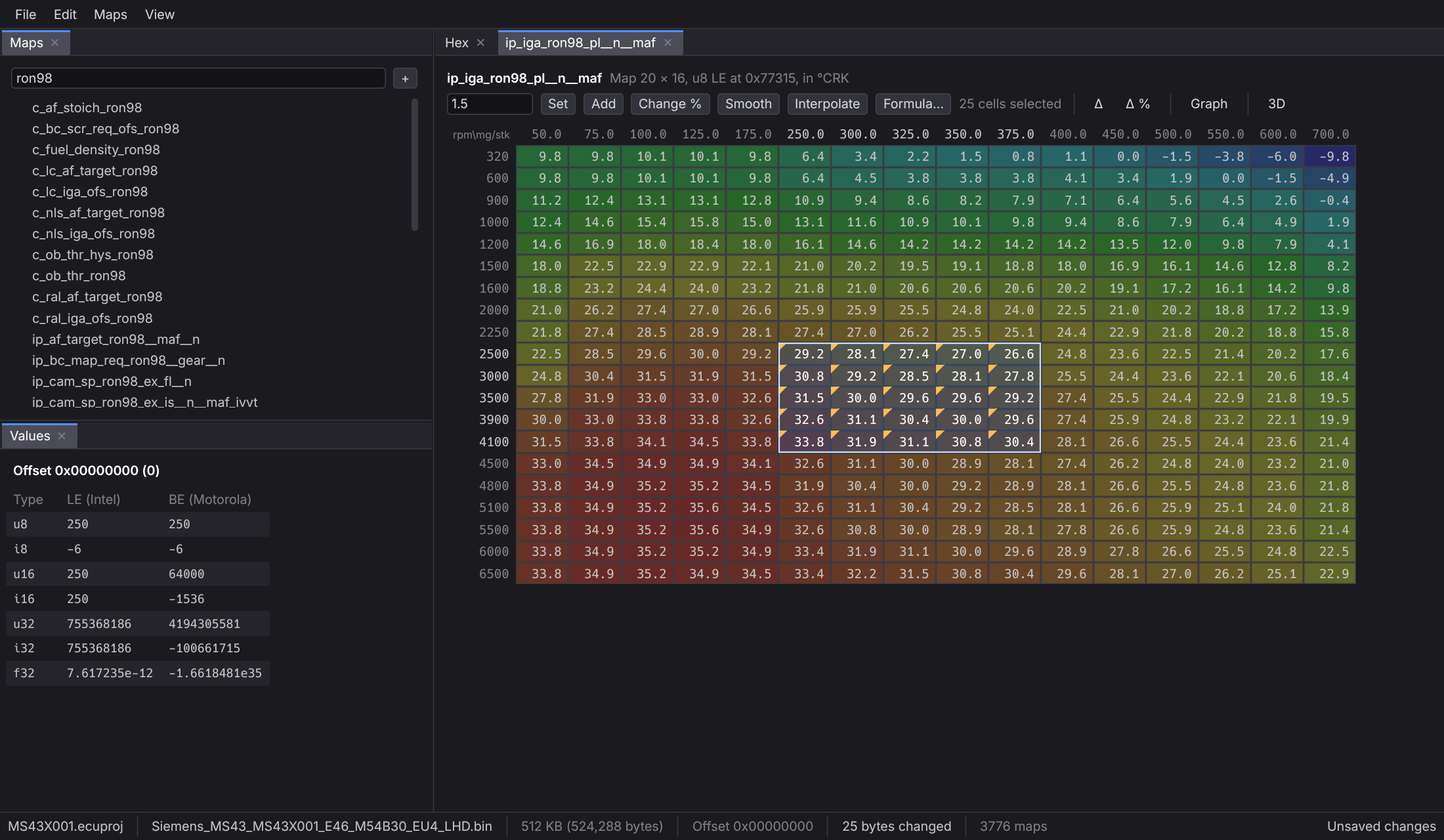
A desktop editor for ECU calibration files. Open a .bin dump, define its maps or import them from a TunerPro XDF, and edit them as tables, graphs and 3D surfaces. The file you opened is never written.
Edits go to a working copy. The file you opened is never written: the first save is always Save As.
Byte edits and changes to map definitions share one undo stack.
Bytes are overwritten, never inserted or deleted, so map and checksum offsets stay where they were.
The interface is drawn on the CPU, so it doesn't depend on a graphics card.
Features
One window holds the hex view, your maps, their graphs and the file you're comparing against.
Hex view
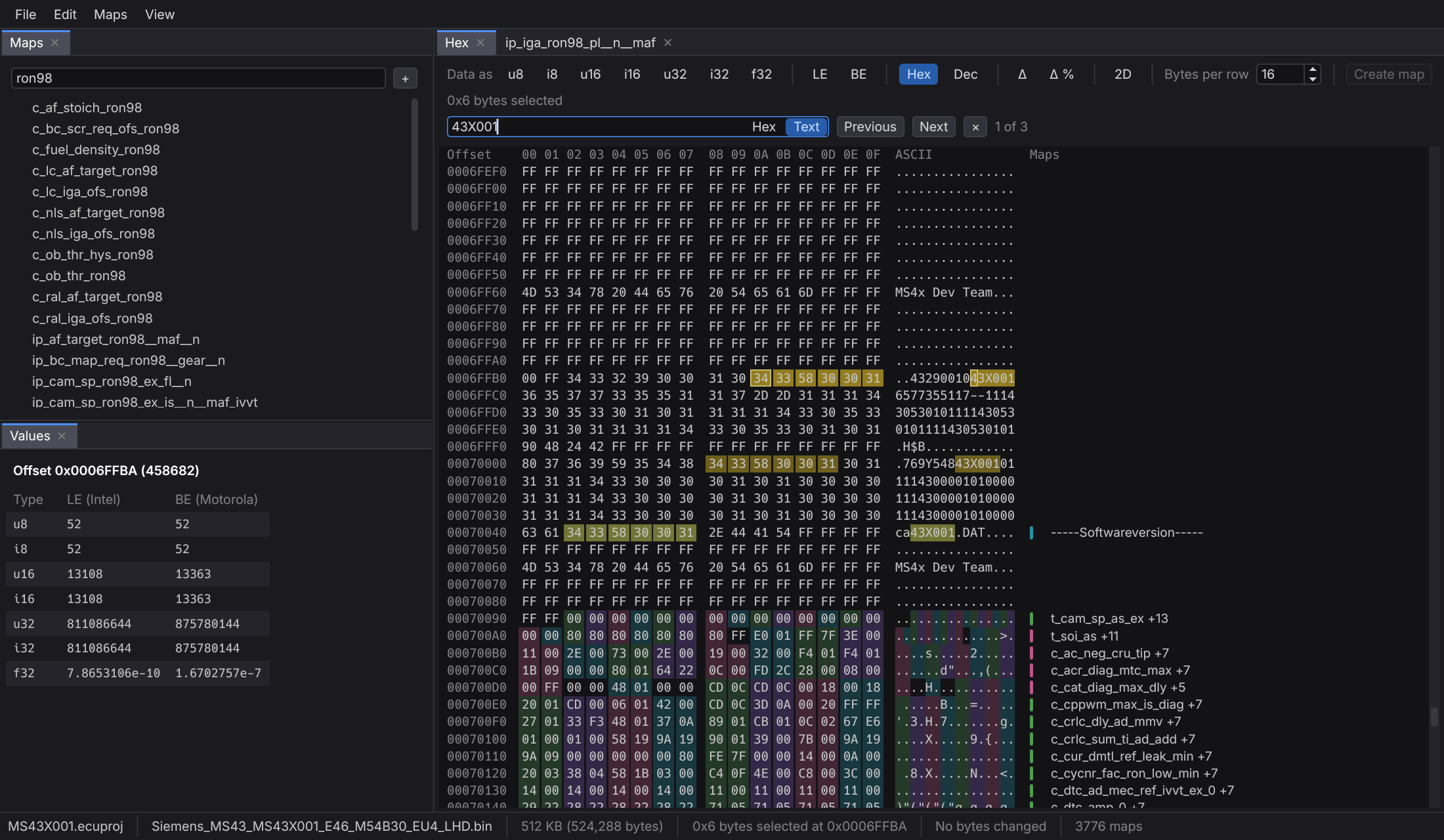
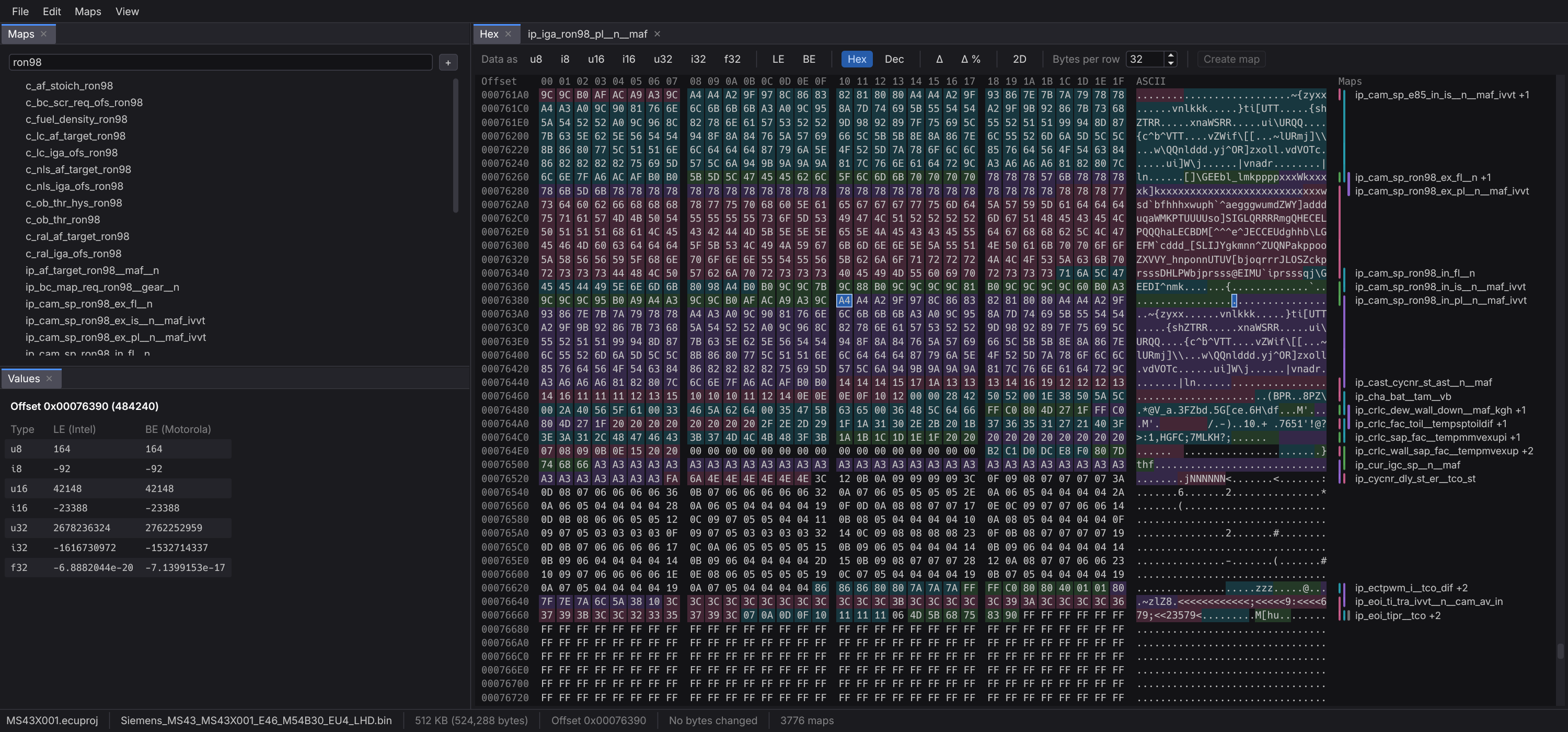
Show the data as signed or unsigned 8, 16 and 32-bit values or as 32-bit floats, little- or big-endian, in hex or decimal. The Values panel reads the byte under the cursor in every type at once.
? for any cell, or text in any letter case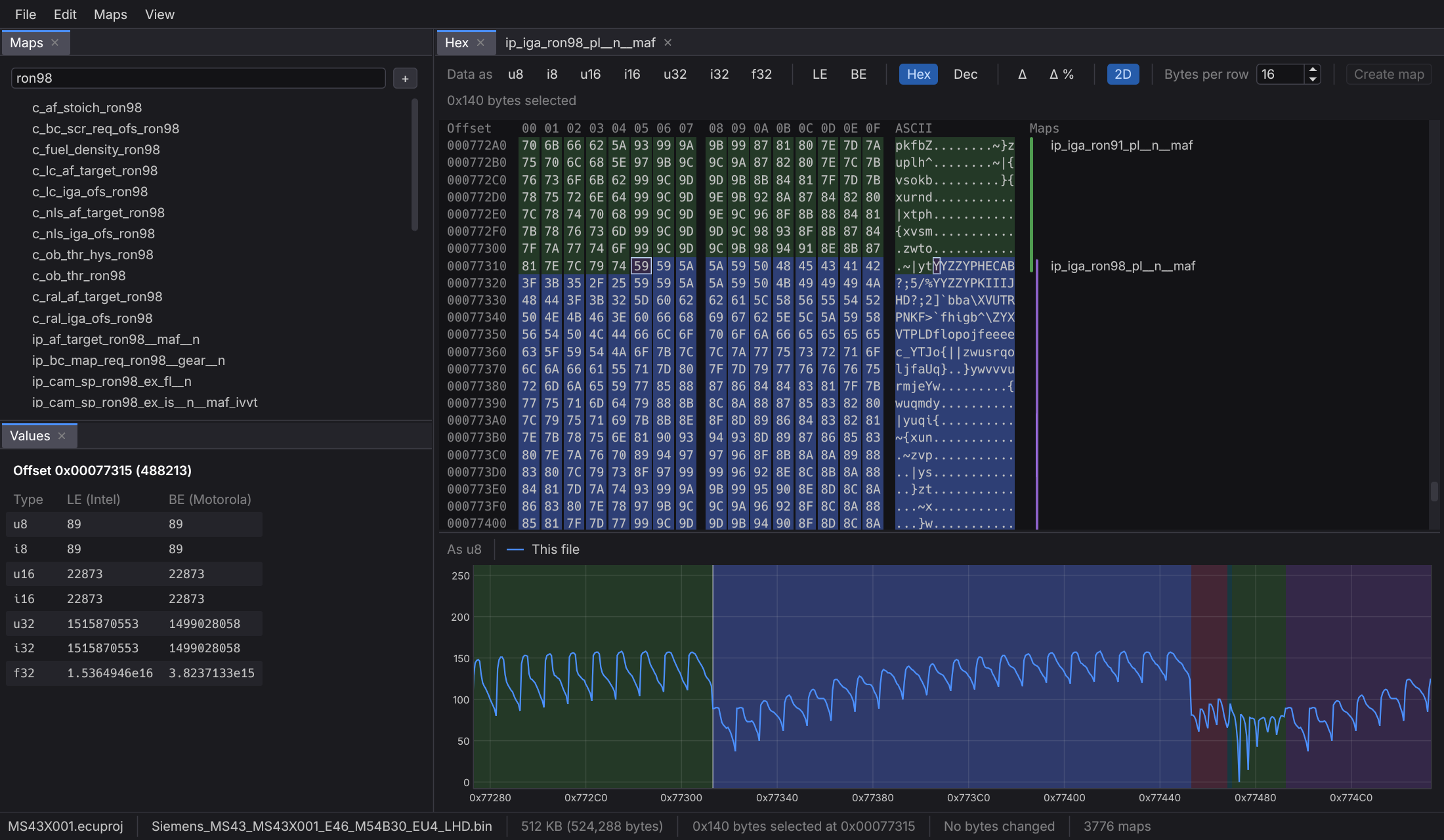
Maps
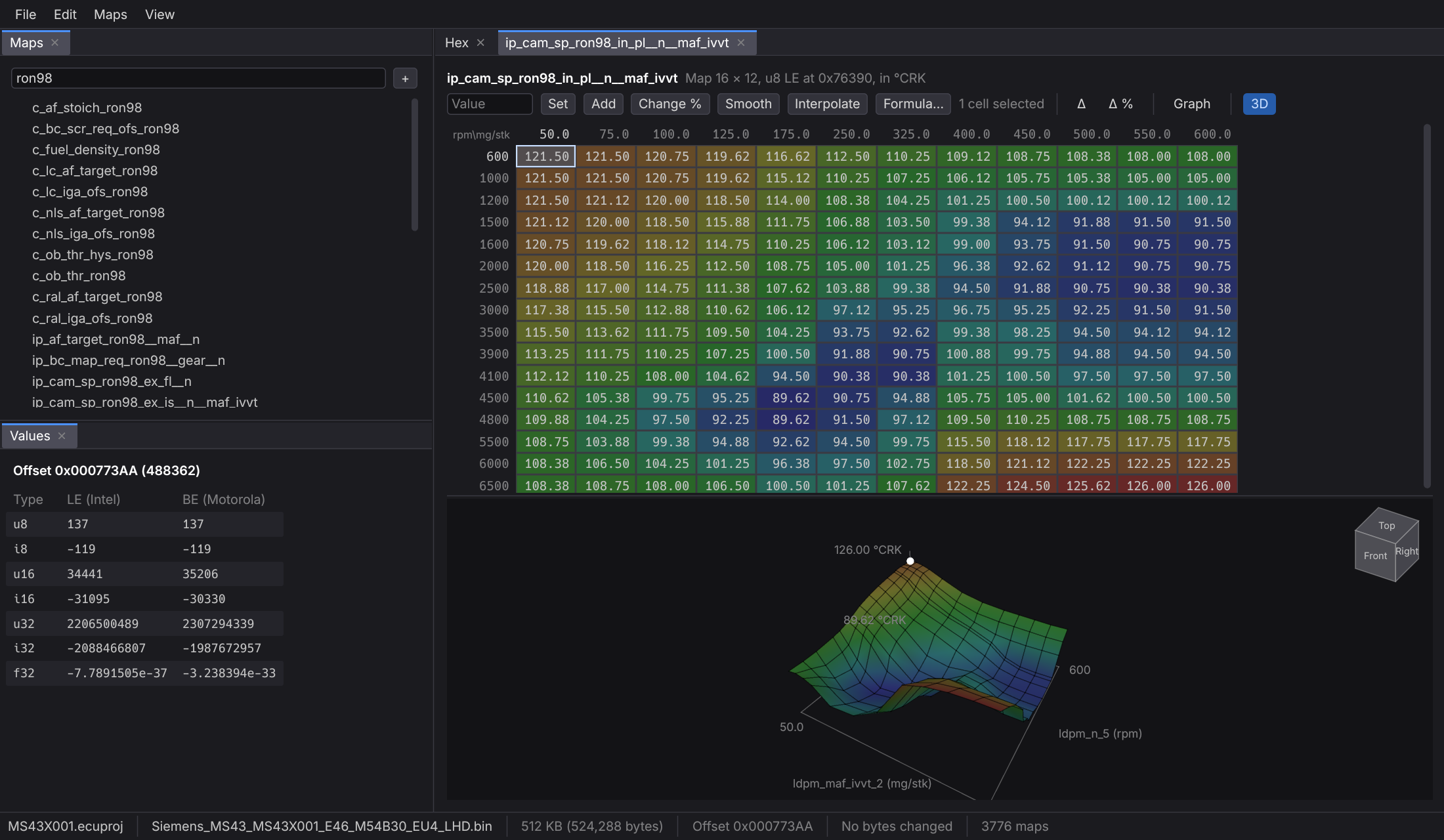
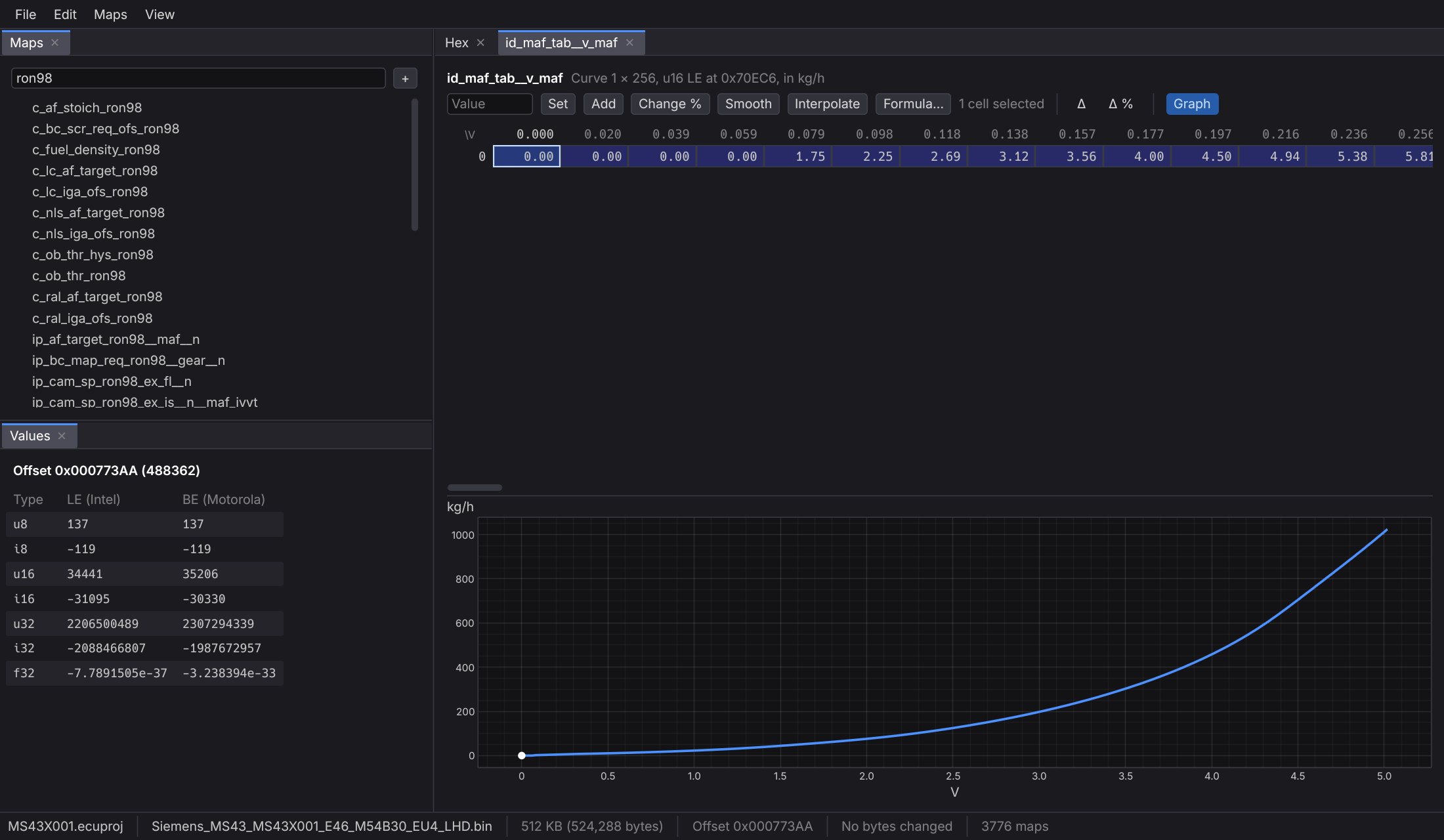
Select bytes in the hex view and make a map from them, or import a TunerPro XDF with its tables, constants, flags, axes and math. Each map shows its values in its own units, shaded by value.
Editing
Set, add or change by a percentage across a selection. Smooth it, interpolate across rows and columns, or apply a formula of your own: you see the result before anything changes, and undo it in one step after.
X for each cell and any named parameters, and are kept for every file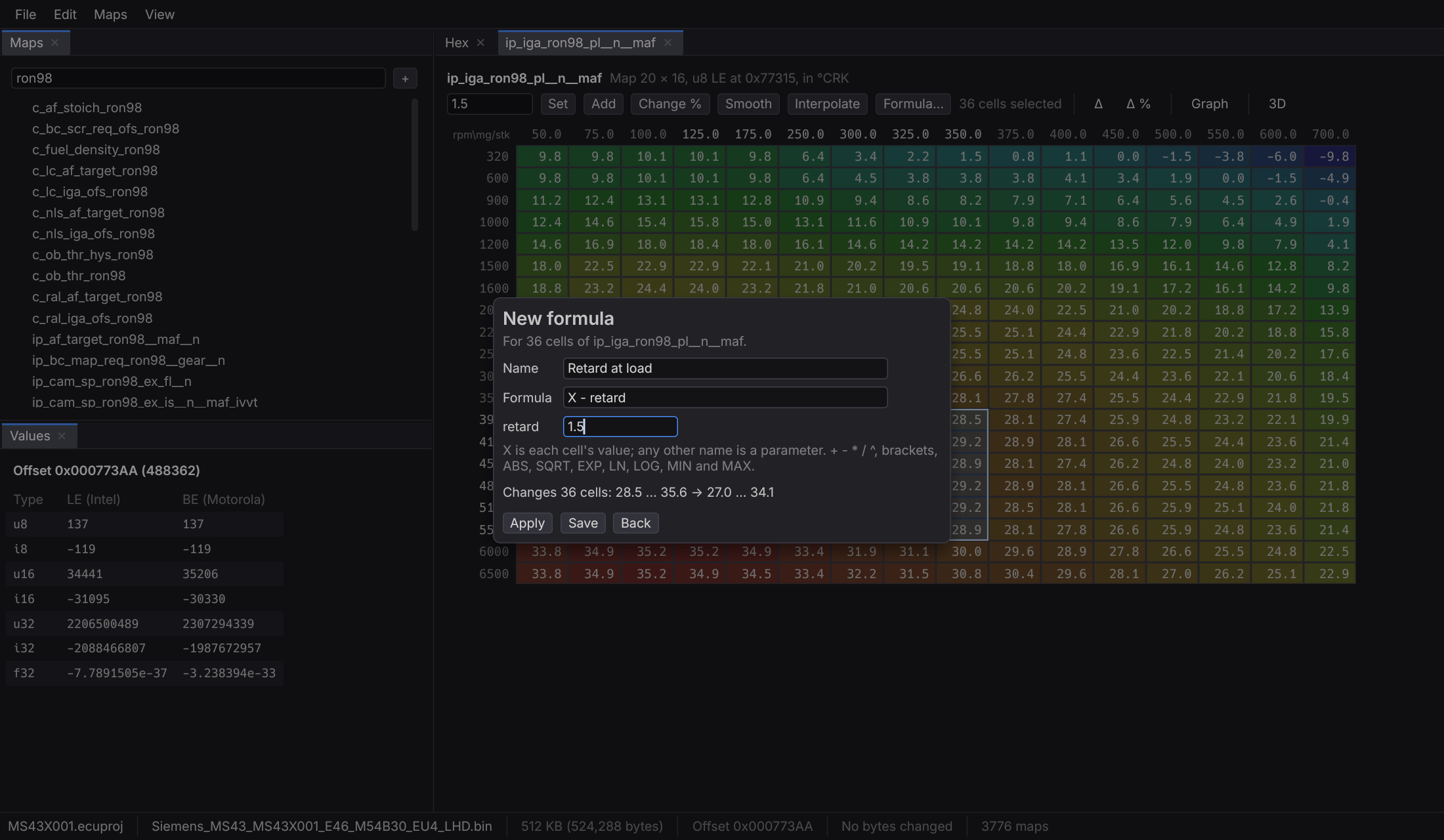
Compare
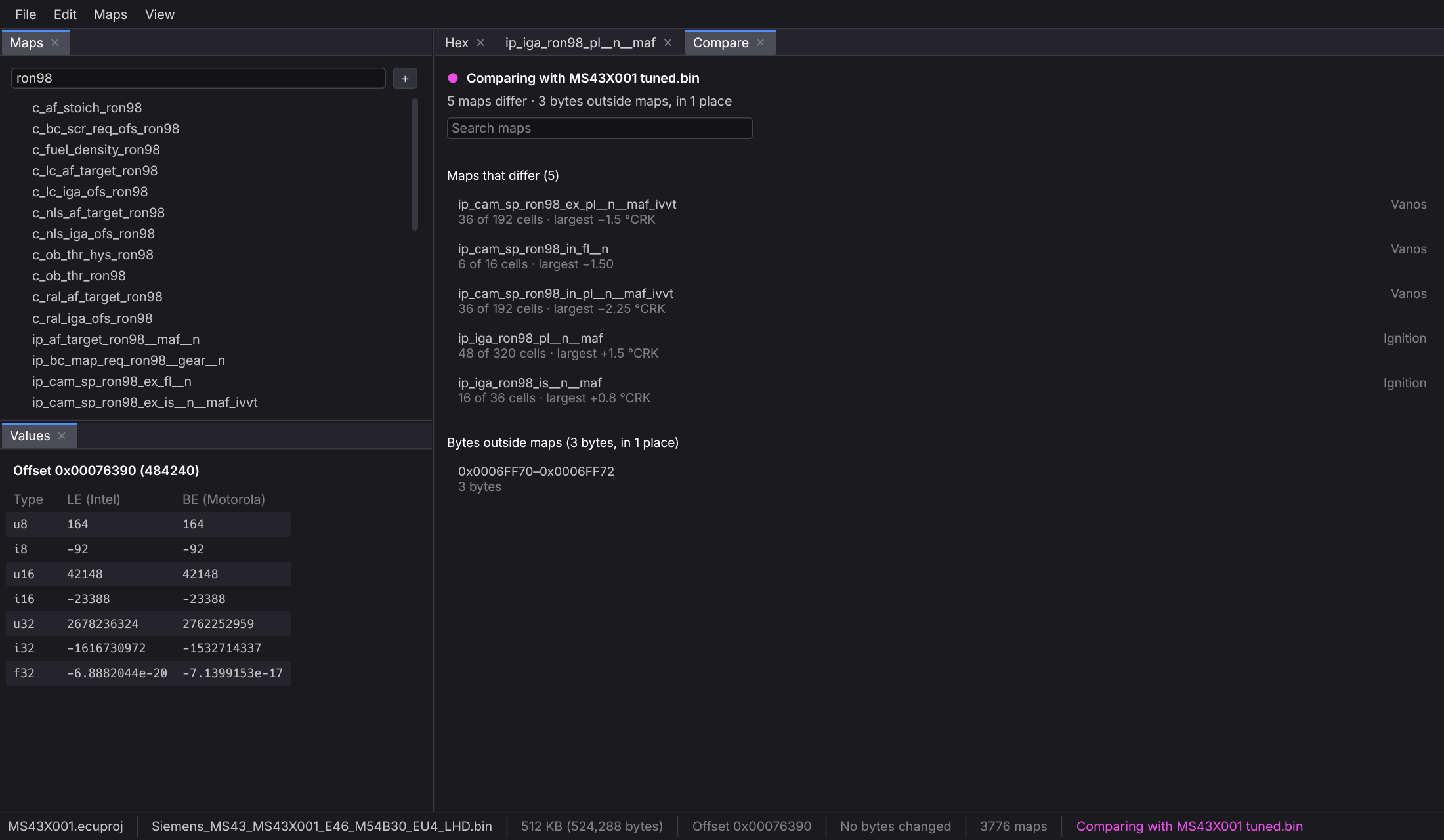
Compare your file with another one: which maps differ and by how much, and which bytes changed outside any map. Two maps of the same size can be compared too, such as bank 1 against bank 2.
Screenshots
Saving
Ctrl+S saves the working copy and the project together. A project keeps the original, checked by its SHA-256, the working copy, the imported definition with only your changes, and the maps you made. What was open when you closed opens again at start, with its tabs where they were.
Checksum correction is planned, starting with byte and word sums and CRC32 over set ranges. Until it's in, every save says the checksums weren't corrected, so nobody flashes a file thinking they were. Cryptographic signatures will be reported as "can't be corrected here", never as valid.
Formats
.bin dumpsPricing
With version 1 comes a free demo: try everything there first, and subscribe when you need to save.
€20/ month
Prices exclude VAT, which is added at checkout where it applies.
Subscriptions open with version 1. Checkout, invoices and VAT are handled by our payment provider, the merchant of record named at checkout. See the terms of use and the refund and cancellation policy.
Coming with version 1: the full app with one thing held back, saving the working copy. You'll be able to open your files, define and import maps, edit, compare and look at the graphs. If it does what you need, you subscribe and keep working in the same window.
FAQ
No, it edits files. Reading and writing the ECU stays with your flashing tool.
Any whose maps you know or can import. Nothing is assumed about the ECU: each map's data type and byte order come from its definition.
Not yet. Until checksum correction is in, every save says the checksums weren't corrected.
WinOLS formats aren't public, so no. A2L import is planned; TunerPro XDF in XML works now.
Nothing. Edits go to a working copy. The first save is Save As to a new file, and later saves overwrite that one. A saved file always has the original's length.
Windows. It's a single .exe that draws its interface on the CPU, so it doesn't depend on a graphics card.
€20 a month, plus VAT where it applies, once version 1 is out. Its demo will be free and do everything except save. See Pricing.
You can cancel at any time and keep using the app until the end of the paid period. If it doesn't work on your computer and we can't fix it, ask within 14 days of a payment and that payment is refunded. The refund and cancellation policy has the details.
It's in development. Get in touch to hear when there's a version to try.
StoiK is in development. Send an email to ask a question or to hear when there's a version to try.
contact@stoikeditor.app